Curriculum
Basic Online Self-Study OTA Sales Course – Room Selling: 168 Lessons, 10 sections, Total Duration: 1435 minutes.
= Free Preview = Requires Enrollment
-
-
-
5 minutes
-
5 minutes
-
4 minutes
-
-
-
0.11 Instructions for downloading the price template spreadsheet file to your computer2 minutes
-
1.2.1.0 Main operating platforms of OTA channels
-
1.2.1.2 Operating platforms of the OTA channel – Meta Search4 minutes
-
1.2.1.1 Operating platforms of the OTA channel – Google Search Engine6 minutes
-
1.2.1.4 Operating platforms of OTA channels – combined into combos3 minutes
-
1.2.1.5 Other operating platforms of OTA channels3 minutes
-
1.2.1.3 Operating platforms of OTA – B2B channels5 minutes
-
1.2.2 Popular OTA channels in Vietnam and globally
-
1.3 The role of OTA channels
-
1.4 Which accommodation establishments are OTA channels suitable for?
-
1.5 OTA channel revenue ratio in the accommodation business
-
1.6 Limitations of OTA channels and how to reduce dependence on OTA channels
-
1.7 Common OTA operating methods
-
1.8 Daily, weekly, monthly, and yearly tasks of an OTA Sales staff
-
1.9 OTA and Traditional Sales Process
-
1.10 OTA Overview Training 1-1 (full)119 minutes
-
1.11.1 Sharing about receiving payments from Agoda or OTA channels4 minutes
-
2.1 Why customers do not choose your accommodation
-
2.2 Timeless sales closing mindset applicable to all sustainable sales industries
-
2.3 Applying the AIDA Formula in the Hospitality Industry – OTA Channels8 minutes
-
2.4 7Ps in the service/tourism industry
-
2.5 Customer journey for booking services in the Online – Digital environment12 minutes
-
2.6 05 key factors influencing customer choice decisions when booking online
-
2.7 Understand how customers evaluate your property to operate better10 minutes
-
3.0 Information to prepare and notes before registering for OTA channels
-
3.1 How to name accommodation establishments and handle duplicate names36 minutes
-
3.2 Image processing before updating to OTA channels
-
3.2.1.1 Guide to batch resizing images using Caesium software3 minutes
-
3.2.1.2 How to bulk resize and rename files before registering new OTA channels using XNresize6 minutes
-
3.2.2 Guide to batch renaming image files with Inviska Rename8 minutes
-
3.3.0 Principles and how to register any OTA channel7 minutes
-
3.3.1.1 Brief Guide to OTA Channel Registration – Booking.com14 minutes
-
3.3.1.2 Case Study – OTA Channel Registration Guide – Booking.com45 minutes
-
3.3.2.1 Brief guide to registering an OTA channel – Agoda.com7 minutes
-
3.3.2.2 Case Study – Guide on how to register for the Agoda channel12 minutes
-
3.3.2.3.1 Hướng dẫn chuyển Agoda Home sang Hotel khi đã được duyệt đăng ký3 minutes
-
3.3.2.3.2 Instructions for switching Agoda Home to Hotel when registering a new OTA channel37 minutes
-
3.3.3.1 Brief guide to registering an OTA channel – Traveloka.com12 minutes
-
3.3.3.2 Case Study – OTA Channel Registration Guide – Traveloka44 minutes
-
3.3.4.1 Brief OTA channel registration guide – Airbnb.com8 minutes
-
3.3.4.2 Case Study – OTA Channel Registration Guide – Airbnb44 minutes
-
3.3.4.3 How to write descriptions for Airbnb Listings36 minutes
-
3.3.5.1 Brief OTA channel registration guide – Expedia17 minutes
-
3.3.5.2 Instructions for opening new sales on OTA channel – Expedia12 minutes
-
15 minutes
-
3.3.7.1 Brief OTA channel registration guide – trip.com – Ctrip OTA Extranet14 minutes
-
3.3.7.2 Guide to registering a Trip.com partner account for selling rooms – Ctrip OTA15 minutes
-
3.3.7.3 Instructions for signing contracts with Trip.com via Docusign2 minutes
-
3.3.8 Detailed guide on how to manually verify property location on booking.com8 minutes
-
3.4 What are the advantages of opening a new accommodation facility in a low-competition area?3 minutes
-
3.5 Complete the Know Your Partner form after successful registration to avoid account suspension4 minutes
-
3.6 Change deposit policy on booking.com to avoid policy violations6 minutes
-
3.7 Create an additional admin account for the booking.com channel4 minutes
-
3.8 Guide to opening a new Hostelworld OTA channel7 minutes
-
4.0 Items to optimize and adjust immediately after receiving the OTA channel Extranet account
-
4.1.0.1 Distinguish between administrative login paths and user paths3 minutes
-
4.1.0.2 Troubleshooting guide when unable to log in or adjust items in the Extranet of OTA channels3 minutes
-
4.1.0.3 Introduction to booking.com Extranet menu3 minutes
-
4.1.0.4 Introduction to Agoda YCS Extranet menu (old before 2025)2 minutes
-
4.1.0.5 Introduction to Agoda's new interface (from 2025)2 minutes
-
4.1.1 Why content scores on OTA pages must be optimized after registration4 minutes
-
4.1.3 How to change the display language in the Extranet of OTA channels3 minutes
-
4.1.4 Correctly understanding rate plans on OTA channels2 minutes
-
4.1.5.1 How to set up rate plans on Booking.com4 minutes
-
4.1.5.2 How to set up price policies – Rate plans on Agoda4 minutes
-
4.1.5.3 How to set up pricing policies – Rate plans on Expedia4 minutes
-
4.1.5.5 How to set up pricing policies – Rate plans on other channels2 minutes
-
4.1.5.6 Case study – Adding rate plans on OTA channels – with breakfast and using channel manager30 minutes
-
4.1.6.1 Instructions for adjusting room rates and availability on Booking.com6 minutes
-
4.1.6.2 Instructions for adjusting room rates and inventory on Agoda.com5 minutes
-
4.1.6.3 Instructions for adjusting room rates and inventory on Expedia6 minutes
-
4.1.6.4.1 Instructions for adjusting room rates and allotment on Traveloka V1 (old)5 minutes
-
4.1.6.4.2 Guide to adjusting room rates and room allotment on Traveloka V2 (new)2 minutes
-
4.1.6.5 Instructions for adjusting room rates and availability on Airbnb2 minutes
-
4.1.6.6 Guide to adjusting room rates and allotment on trip.com (CTRIP)3 minutes
-
4.1.6.7 Instructions for adjusting room rates and the number of rooms for sale on VNtrip3 minutes
-
4.1.6.8 Instructions for adjusting room rates and allotment on Mytour9 minutes
-
4.1.6.10 Instructions for installing and downloading OTA channel management applications on mobile – Mobile App
-
4.1.7.1 Distinguishing between mobile apps and mobile browsers when managing OTA channels on mobile
-
4.1.7.2 Mobile App User Guide - YCS Agoda for Hotel managing Agoda Extranet5 minutes
-
4.1.7.3 Mobile App User Guide - Tera Traveloka Extranet Management3 minutes
-
4.1.7.4 User Guide for Mobile App - Pulse for managing Booking.com Extranet7 minutes
-
4.1.7.5 Mobile App User Guide - Partner Central managing Expedia's Extranet4 minutes
-
4.1.8.1 How to add a bank account to Agoda YCS8 minutes
-
4.1.8.2 Instructions for adding a bank account on Expedia
-
4.1.9.1 How to read booking parameters on the Agoda OTA channel10 minutes
-
4.1.9.2 How to read booking parameters from the OTA channel – booking.com2 minutes
-
4.1.9.3 How to read booking parameters on the OTA channel – Expedia2 minutes
-
4.1.12 Case Study – How to read specifications and handle special requests for new bookings on booking.com16 minutes
-
4.1.12 Q&A regarding the new Agoda Statement from 20252 minutes
-
4.2.1.1 How to set up additional surcharges on OTA channel – booking.com3 minutes
-
4.2.1.2 How to set up additional surcharges on OTA channel – Agoda2 minutes
-
4.2.1.3 How to set up additional surcharges on OTA channel – Airbnb2 minutes
-
4.2.3.1 How to pay commission on booking.com2 minutes
-
4.2.4 Case Study – Handling Booking.com commission invoices for bookings where no-show was not marked6 minutes
-
4.2.5.1.1 How to set daily or weekend rates on Agoda Home4 minutes
-
4.2.6 Guide for adjusting prices based on the number of people on OTA channels10 minutes
-
4.2.7.1 Instructions on how to add a room in the OTA channel Extranet – Booking.com14 minutes
-
4.2.7.2 Guide to adding rooms on Agoda Extranet YCS6 minutes
-
4.2.7.3 Guide to adding rooms on Expedia Extranet6 minutes
-
4.2.7.4 Guide to adding rooms on Mytour HMS25 minutes
-
4.2.7.5 Instructions for adding rooms on some other OTA channels
-
4.2.8.1 Guide to setting prices with multiple rate plans – Rate plan on booking.com3 minutes
-
4.2.8.2 Instructions for setting monthly view prices on booking.com4 minutes
-
4.2.8.3 Instructions for setting up rates in list view format Agoda YCS3 minutes
-
4.2.13 Guide to adding competitors – Competitor set on OTA channels Booking Agoda Expedia8 minutes
-
4.2.5.1.2 How to set daily or weekend rates on Agoda YCS2 minutes
-
4.2.1.4 How to set up additional surcharges on OTA channel – Expedia4 minutes
-
3 minutes
-
5.1 General principles and instructions on how to contact OTA sites4 minutes
-
5.2.1 Instructions on how to contact the OTA site – booking.com3 minutes
-
5.3.1 Instructions on how to contact the OTA site – AGODA (Method 1)2 minutes
-
5.3.2 Instructions on how to contact the OTA site – AGODA (method 2)2 minutes
-
5.4 Guide on how to contact the OTA – EXPEDIA4 minutes
-
5.6 Guide on how to contact the OTA – AIRBNB2 minutes
-
5.8 How to contact the OTA site – Trip.com Group – Ctrip3 minutes
-
6.1.1 How to set up auto-reply templates on some OTA channels – Booking.com6 minutes
-
6.1.2 How to set up auto-reply templates on some OTA channels – Expedia.com3 minutes
-
6.4 How to contact guests in the OTA channel extranet – Agoda3 minutes
-
6.5 How to contact guests in the OTA channel extranet – Booking.com3 minutes
-
6.6 How to contact guests in the extranet of OTA channels – Expedia1 minutes
-
6.7 How to contact customers using encrypted email on OTA channels – booking.com, agoda, expedia3 minutes
-
6.8 How to respond to customer messages or requests on Agoda4 minutes
-
6.9 How to set up auto-reply message options on booking.com extranet2 minutes
-
6.10 How to set up quick reply auto-response options on Airbnb Host5 minutes
-
7.0 Some commonly used terms in OTA Sales operations management
-
7.1 Discount order – factors affecting Display Price – Net Price
-
7.2.0.1 04 levels of pricing and promotion settings on OTA channels12 minutes
-
7.2.0.2 Calculation of Net Price for Bar Price – No promotion3 minutes
-
7.2.1 Pricing mechanism, how OTA channels display prices to customers (briefly)20 minutes
-
7.2.1.1 How to check if the displayed price and set price are correct
-
7.2.2.1 Pricing calculation for individual OTA channels – Progressive discount for Booking, Ctrip, Vntrip, Mytour (from 2025)5 minutes
-
7.2.2.2.1 Individual pricing calculation for each OTA channel – Agoda (from 2025)4 minutes
-
7.2.2.2.2 P1 – Update price changes for the latest BAR pricing calculation method according to Agoda Feb-2025 – Do not check essential bundling5 minutes
-
7.2.2.2.3 P2 – Update price changes for the latest BAR pricing calculation method according to Agoda Feb-2025 – If essential aggregation is checked7 minutes
-
7.2.2.2.4 Understanding Agoda's Rate Channel4 minutes
-
7.2.2.2.5 Notes on price management when selling rooms on Agoda4 minutes
-
7.2.2.3.1 How to calculate individual prices for each OTA channel – Traveloka (from 2025)4 minutes
-
7.2.2.3.2 Notes on rate operations when selling rooms on Traveloka4 minutes
-
7.2.2.4 How to calculate prices for each specific OTA channel – Expedia2 minutes
-
7.2.2.5 03 steps to find the BAR price on OTA channels according to Agoda's pricing method (from 2025)4 minutes
-
7.7 Detailed instructions on how to build an OTA channel price list after learning about pricing6 minutes
-
7.8.4 User Guide for the PRICE COMPARISON Table in the NON-LOGGED IN area outside the OTA page8 minutes
-
7.10 Guide to the Simulate max discount tool in booking.com to better understand how prices are calculated5 minutes
-
Guide to using the latest OTA pricing spreadsheet from OTAVN4 minutes
-
Notes after successful opening (having an Extranet account)
-
4.2.12 Instructions for renaming room types to be more attractive and meet expectations30 minutes
-
9.1 Why optimize content scores on OTA channels4 minutes
-
9.2 Optimizing Content Score on OTA – Traveloka7 minutes
-
9.3 Optimizing content score on OTA – Expedia9 minutes
-
9.4.1 Content score optimization on OTA – Agoda14 minutes
-
9.4.2 Agoda Interface Image Optimization Guide (from 2025)6 minutes
-
9.5 Optimizing content score on OTA – booking.com9 minutes
-
9.6 Optimizing content scores on OTA sites – Mytour, VNTrip, and others
-
9.7.3 Case Study: Optimizing content score on OTA platform – Booking.com 4K Dorm50 minutes
-
9.7.4 Case Study: Content Score Optimization on OTA – Agoda 4K Dorm70 minutes
-
9.7.5 Case Study: Content score optimization on OTA platforms – Airbnb 4K Dorm90 minutes
-
9.7.6 Case Study Image Optimization on Booking.com – Kikozo Hotel20 minutes
-
9.7.7 Case Study: Image Optimization on Agoda – Kikozo Hotel11 minutes
-
9.7.8 Instructions for handling Agoda rooms with incorrect information pulled from other channels2 minutes
-
9.8 Case Study – OTA Channel Optimization - Hostelworld70 minutes
Course Materials
2 Materials
Target Audience
- Beginners who do not know how to sell rooms online via the internet
- Only want to know basic operations
- Accommodation establishments in areas with low competition (few competitors)
Requirements
- Working in the field of tourism and accommodation services
- Own or lease accommodation establishments for sale/short-term sublease
- Not suitable for agents who want to resell
Basic Online Self-Study OTA Sales Course – Room Selling
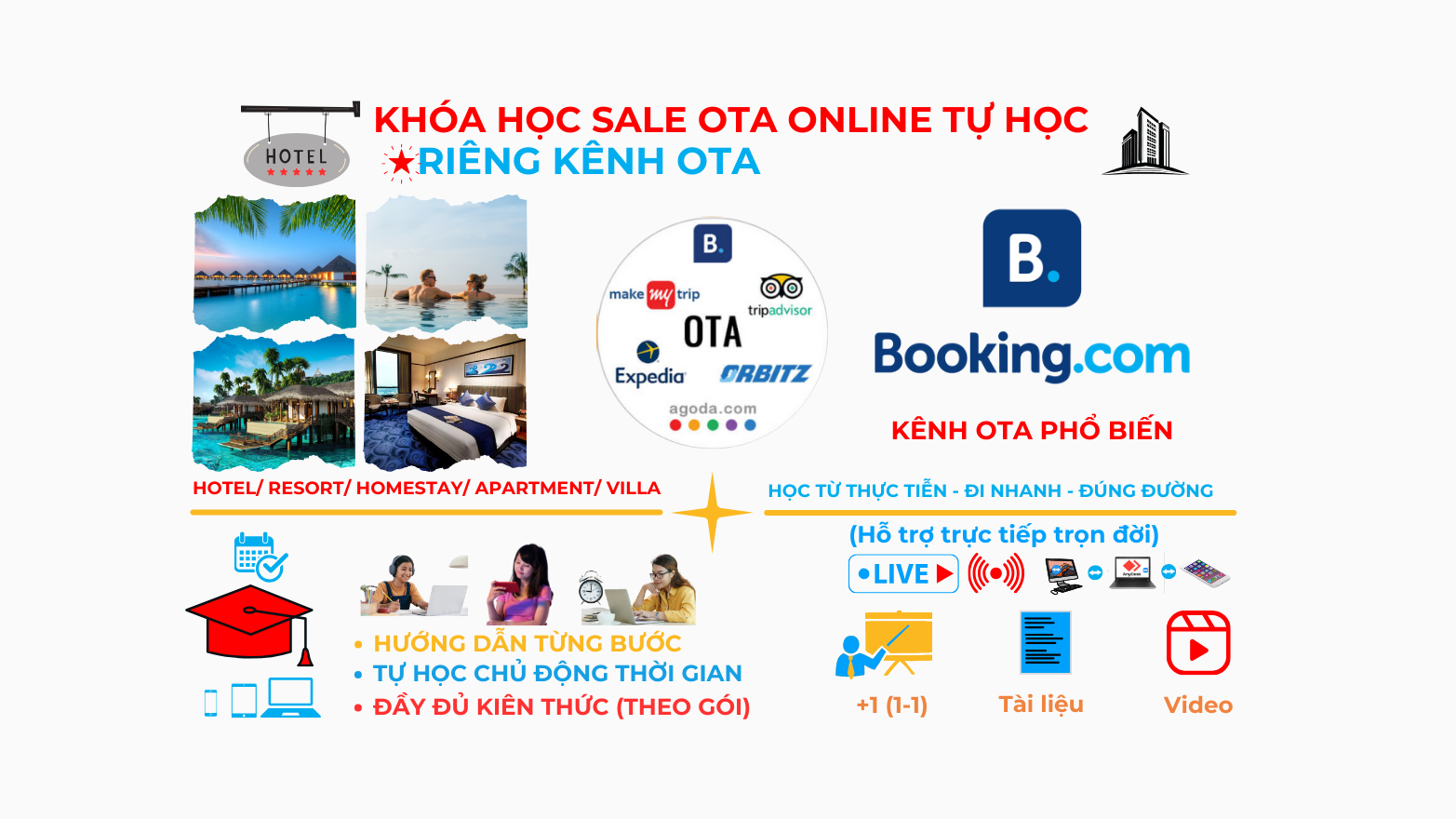
This Basic OTA Sales knowledge section will help you confidently operate OTA Sales, such as understanding the OTA system, how OTA channel systems operate, how to register channels, how to calculate selling price (displayed) and net price, how to contact customers, and indicators affecting the ranking of OTA channels. In the content of the self-study OTA Sales course or other self-study courses, you can ask questions in each section/lesson, and we will respond/answer your questions quickly. Due to the demand from many students contacting and asking about the self-study form for OTA, since August 2023, OTAVN has developed the content of the OTA Sales course (self-study) through the training content we provide in meticulous detail, step-by-step, so that you can study and do it yourself. After registering for the self-study OTA Sales course, you can contact and connect with us for further support and advice during and after the learning process.
Advantages of the online self-study OTA Sales course (basic and advanced parts)
Compared to the 1-1 OTA Sales course that we usually provide, this online self-study OTA Sales course offers several advantages:
- 1-1 remote guidance for the first session and last session of the self-study Sales course. After registering, you need to connect with OTAVN to schedule an appointment for initial support and guidance when participating in self-study to achieve the highest efficiency.
- This self-study OTA Sales course helps you be proactive with your study time anytime, anywhere with Internet.
- Learn according to the roadmap and content we have guided on the trained topics.
- Lifetime support during and after the course (after registering, please provide the paid course ID and connect for support via Zalo/iMessage/WhatsApp at 0934552325 or Email: [email protected])
- Requires an internet-connected device such as a smartphone, laptop, or computer.
- You can watch the content repeatedly until you understand it.
- Commitment that you will be able to immediately apply quality knowledge that you cannot find on free sharing channels regarding mindset and methodology.
- Learn many popular OTA channels in the world and in Vietnam: booking.com, Agoda, Expedia, Airbnb, Traveloka, Trip.com (ctrip), Vntrip, Mytour, Hostelworld...
- You study yourself according to the curriculum and available OTA course content you registered for (not personalized like 1-1 O.T.A sales training).
- For some content like price and promotion training, you will calculate prices yourself according to sample files or examples we provide to understand the pricing formula.
- Need to install remote support tools for post-training support so we can assist during and after the online self-study OTA Sales course. See more: Software and training tools
During your self-study of a part or the entire OTA Sales course, if there is anything you don't understand, need support, or have questions, please contact OTAVN for quick answers. Self-study will significantly reduce the time we have to support and guide you directly, so the cost will be cheaper than individual 1-1 OTA Sales training. AFTER YOU FINISH ALL THE CONTENT OF THE ONLINE SELF-STUDY OTA SALES COURSE, WE WILL DEDICATE ONE 1-1 ONLINE EXCHANGE SESSION TO SUPPORT THE ISSUES YOU ARE FACING OR DO NOT CLEARLY UNDERSTAND. THE TIME WILL BE AGREED UPON BY BOTH PARTIES (DEPENDING ON THE VACANT SCHEDULE): TRAINING TIME 02-2.5H Note:
- With the diverse learning needs of students, we build content for many different students and learning purposes. With general courses, you will learn and compare across many different OTA channels. If you study a part of the course individually, such as: Room selling course on Booking.com, it is only for the Booking.com OTA channel; Room selling course on Agoda is only for the Agoda OTA channel... you cannot know how other OTA channels differ from the rest.
- Learning and operating only one OTA channel is almost ineffective for current needs, because OTA channels have different operating methods, pricing, display... which are completely different, especially for medium and large-scale accommodation establishments. If operating multi-channel (many OTA channels), it is necessary to understand and be standard to do well on many channels and ensure channels do not affect each other, especially regarding price display and promotions.
- After finishing the basic part, you can participate in the advanced part to have all the comprehensive OTA Sales knowledge and be able to operate OTA Sales well in environments/areas with high competition such as Hanoi, Ho Chi Minh City, Da Nang, Hoi An, Hue, Sa Pa, Da Lat...
WE WILL HELP YOU WHEN PARTICIPATING IN THE ONLINE SELF-STUDY OTA TRAINING COURSE, YOU CAN UNDERSTAND AND DO WELL IN THE STAGES OF OPERATION, MANAGEMENT, AND ROOM SELLING ON THE OTA PLATFORM EFFECTIVELY, SHORTENING A LOT OF TIME. COMPARED TO 1-1 TRAINING, THE SELF-STUDY OTA SALES COURSE WE PROVIDE HAS BEEN CUSTOMIZED IN DETAIL, WITH FULL INFORMATION, STEP-BY-STEP INSTRUCTIONS WITH ILLUSTRATIONS IF OPERATIONS ARE REQUIRED.
Commitment to the quality of practical OTA Sales training
- Commitment for students upon completion of the OTA Sales course
- Can independently operate the management system of OTA channels
- Can confidently work as an OTA Sales person for hotels
- Operate well in high-competition areas (where many accommodation establishments are listed).
- Good ranking and conversion rate if completing the optimization or advanced course.
- Receive OTA sales training materials after registering for the online self-study OTA sales course
- Support for issues related to OTA Sales, room sales, keyword SEO, Website optimization after the course…
Other notes for customization when wanting separate training for each accommodation establishment
- If students want offline/direct training on OTA Sales, please contact us to be arranged.
- If you want training for staff/management, please register for our OTA Sales courses via 1-1 method or offline training.
What you will learn?
Approach basic initial knowledge when operating room sales on OTA channels
Course Information
- Lessons 168
- Duration 1435 minutes
- Level Beginner
- Language vi
- Students 10
- Certificate Yes
- Duration Limit 60 days
Materials
Instructor

Trần Xuân Lộc
FounderSale OTA, Marketing, Webiste/ App Dev, Brand
Related Courses
Optimized Self-Study Online OTA Sales Course – Room Selling
Advanced Online Self-Study OTA Sales Course (for students who have completed the basic part)
OTA Sales Course specifically for Booking.com (online self-study) – Room Sales